Action Camera Guide for BMX: Resolution, FOV, Mounts, and Fit
An action camera is only useful when the rider stays in frame, the mount stays secure and the footage fits the way you plan to edit it. A larger resolution number cannot fix a bad angle or an empty edge of the shot. This guide focuses on camera selection and repeatable setup for BMX. It does not claim that any camera has been personally tested here, and it omits prices because inventory and bundles change.
Start with the finished video
Decide where the clip will be watched. A horizontal edit for a long-form video needs different framing from a vertical social crop. Leave room around the rider when you use a wide view, then check that the bike does not disappear into the background. A tighter view can show a trick more clearly but gives you less room for movement and makes a small aiming error more costly.
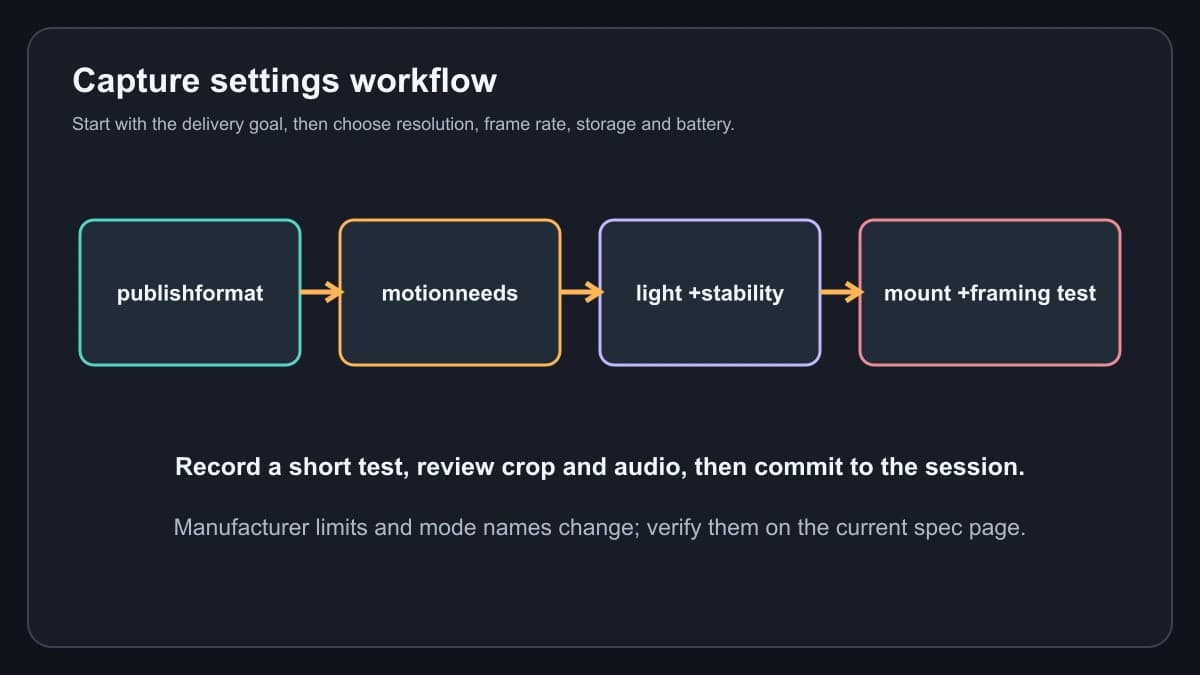
Stabilization also changes the image. Electronic stabilization usually crops some of the frame, and horizon-oriented modes can crop more or limit the modes that are available. Treat the manufacturer’s mode name as a feature description, not a promise that every setting works at every resolution. Record a short test from the real mount and inspect the crop before a full session.
Current product examples
The official GoPro HERO12 Black page lists 5.3K60, 4K120, HyperSmooth 6.0 stabilization and waterproofing to 33 feet without a housing under the stated conditions. Those modes give an editor room to crop or slow action, but storage and battery use rise with demanding settings. Confirm the current camera firmware, battery and case requirements before a wet ride.
The official DJI Osmo Action 5 Pro specifications list 4K recording in both 4:3 and 16:9 formats up to 120 frames per second, 20 m waterproofing without the waterproof case, and support for microSD cards up to 1 TB. The same page warns that covers must be closed and recommends the waterproof case for long-duration underwater use. A BMX session is not a dive, but the cover and seal check still matters after dust, mud or a crash.
The DJI Osmo Action 4 specifications list 4K recording up to 120 frames per second in its supported modes and 18 m waterproofing without the case. It is a sensible comparison when you value the DJI workflow but do not need every newer feature. Compare the exact bundle and accessory list rather than assuming an older camera includes the latest battery or mount.
The existing tracked shopping paths are retained for the GoPro HERO12, DJI Osmo Action 5 Pro, DJI Osmo Action 4 and Rode VideoMic NTG. They are browsing paths, not a guarantee of current price or stock:
- Check the current GoPro HERO12 listing
- Check the current DJI Osmo Action 5 Pro listing
- Check the current DJI Osmo Action 4 listing
- Check the current Rode VideoMic NTG listing
FOV and framing choices
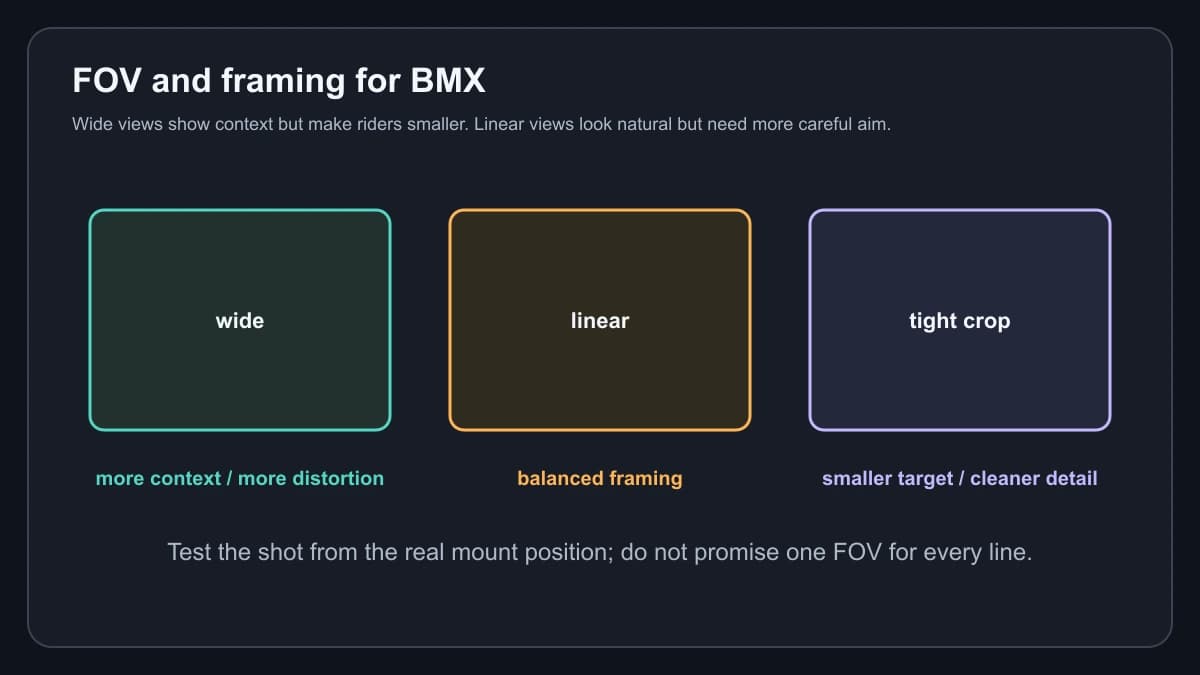
Use a wide view when the camera is close to the action and you need the landing or obstacle context. The edges can look stretched, so keep the rider near the useful center area when possible. Use a linear or less-wide view when straight lines and a natural-looking bike matter more than maximum context. Use a tight crop only when the camera is close enough and the move is predictable; a rider who exits the frame cannot be recovered in editing.
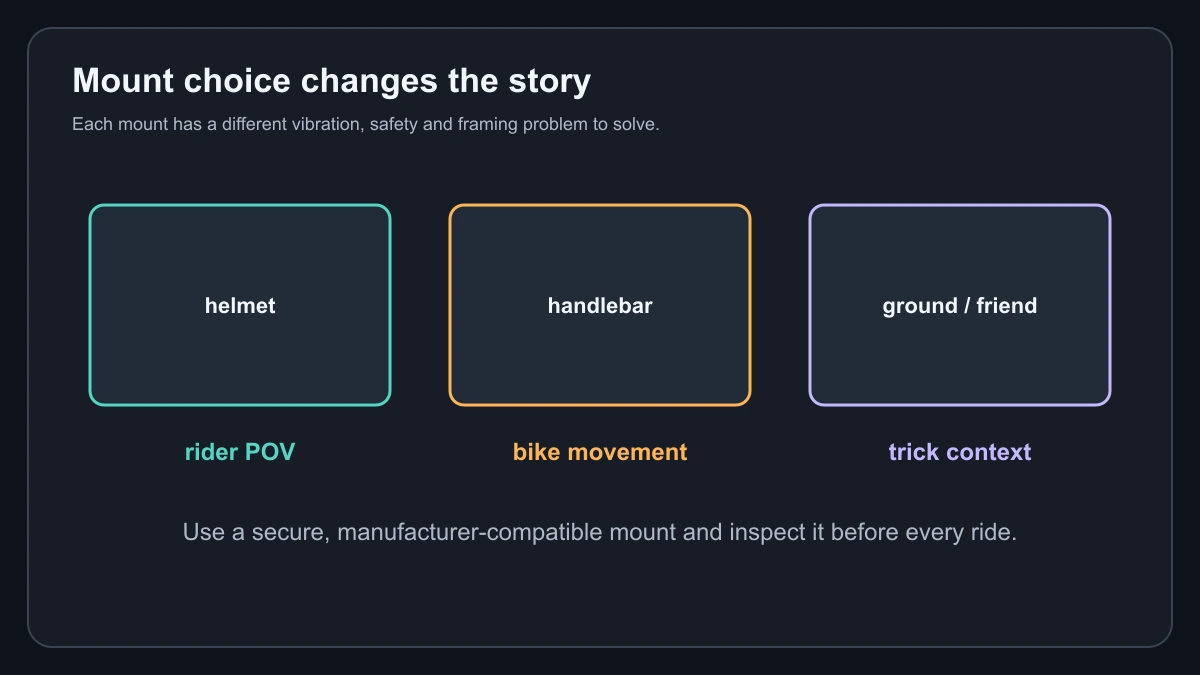
Helmet mounts show rider perspective but can move with head checks and look away from the trick. Handlebar mounts show bike motion and can shake more through rough ground. A low tripod or a friend’s camera can show the whole obstacle and landing, but it adds a second safety and equipment concern. Whichever mount you choose, use the manufacturer-compatible base, tighten it, check the latch and keep the camera out of the riding line.
A practical capture workflow
Choose the delivery format first. Choose frame rate based on the motion and the editing result you want, not because the largest number looks impressive. Check lighting before raising resolution. Confirm that the memory card is supported by the camera maker, format or clear it in the camera when appropriate, and carry a charged spare battery if the model supports one. Do a short clip, review focus, crop, horizon and audio, then repeat the check after changing the mount.
Action cameras can record useful sound only when wind and mounting permit it. A body-mounted camera often hears clothing and vibration. If dialogue matters, plan audio separately and verify the microphone or adapter is compatible. Do not promise clean sound from a camera spec sheet.
Pick the camera by the constraint
Choose HERO12 when you value the GoPro capture and stabilization workflow and want its published high-resolution modes. Choose Action 5 Pro when its 4:3 capture, 20 m rating and current storage options fit the way you frame sessions. Choose Action 4 when its published 4K120 modes and accessory ecosystem cover the job at a lower feature tier. None is automatically the best BMX camera. The best fit is the one you can mount securely, frame consistently and move into your editing workflow without losing the rider.
Mount, storage and audio checklist
Before a session, wipe the lens, check the glass cover and confirm that the battery door and USB cover are fully closed when the manufacturer requires it. Inspect the mount for cracks and make sure the quick-release latch is fully seated. A tether is a sensible secondary precaution where the maker and venue allow one, but it does not make a loose primary mount safe. Keep cameras and mounts out of the landing and roll-away zone.
Estimate storage before selecting a high-frame-rate mode. Higher resolution and frame rate create larger files, and stabilization or high-bitrate modes can change the usable recording time. Leave room for failed takes and do not start a long session with a nearly full card. Download a short test to the editing device before the event if a particular card, adapter or phone workflow is new.
For audio, decide whether the goal is tire and bike sound, a rider explanation or music added later. Wind protection and camera position matter more than a microphone label. Record a short sample from the final mount, listen with headphones and keep the camera workflow separate from any affiliate recommendation. The page does not claim a particular camera or microphone will solve wind, vibration or range problems on every bike.
From camera card to finished clip
Once the camera choice is settled, keep the workflow separate from the hardware recommendation. You can install Ollama for local BMX video work, automate BMX video editing with AI, or edit BMX footage with a cloud GPU when a local machine is not suitable. Those guides explain software workflows; they do not change the camera’s capture limits.
Sources and scope
Specifications were checked against the official GoPro HERO12 Black page, DJI Osmo Action 5 Pro specifications and DJI Osmo Action 4 specifications. Prices, current availability and personal performance claims are intentionally excluded.